

Place & Learn ·
Place & Learn
The shelf knows what it is.
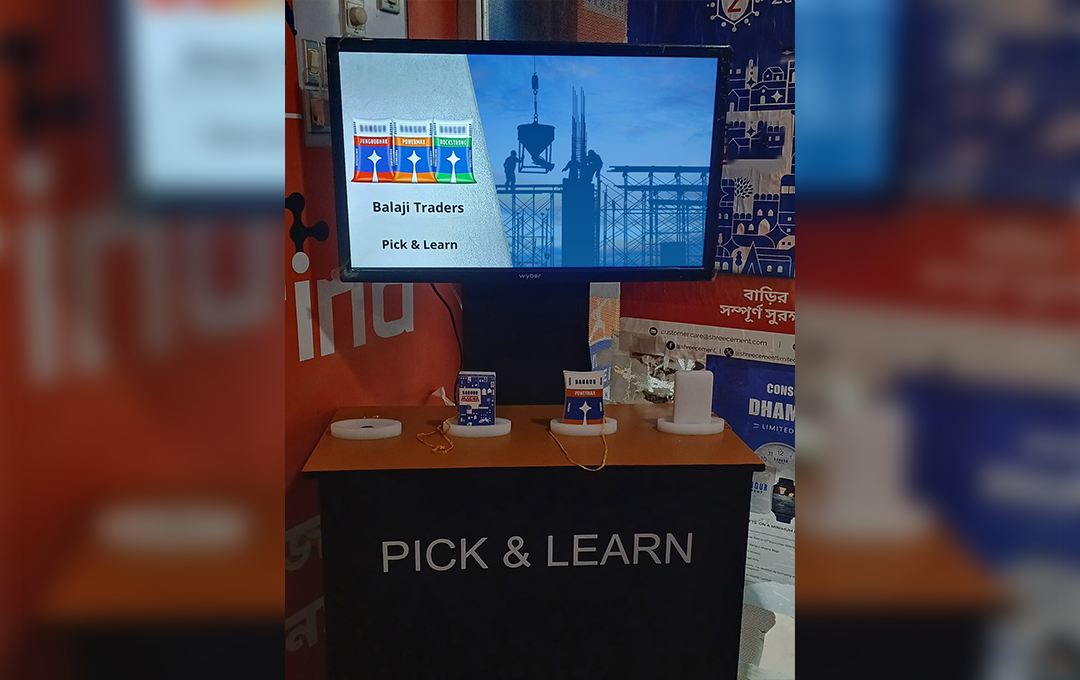
Place & Learn turns your counter into a smart shelf. A hidden NFC sensor sits under a marked zone, and when a shopper puts a product down on it, the screen plays that product's film. No app, no scanning, no staff member needed. Lift it off and the display resets.
Digital signage since 2013 · 300+ cities · 50,000+ screens
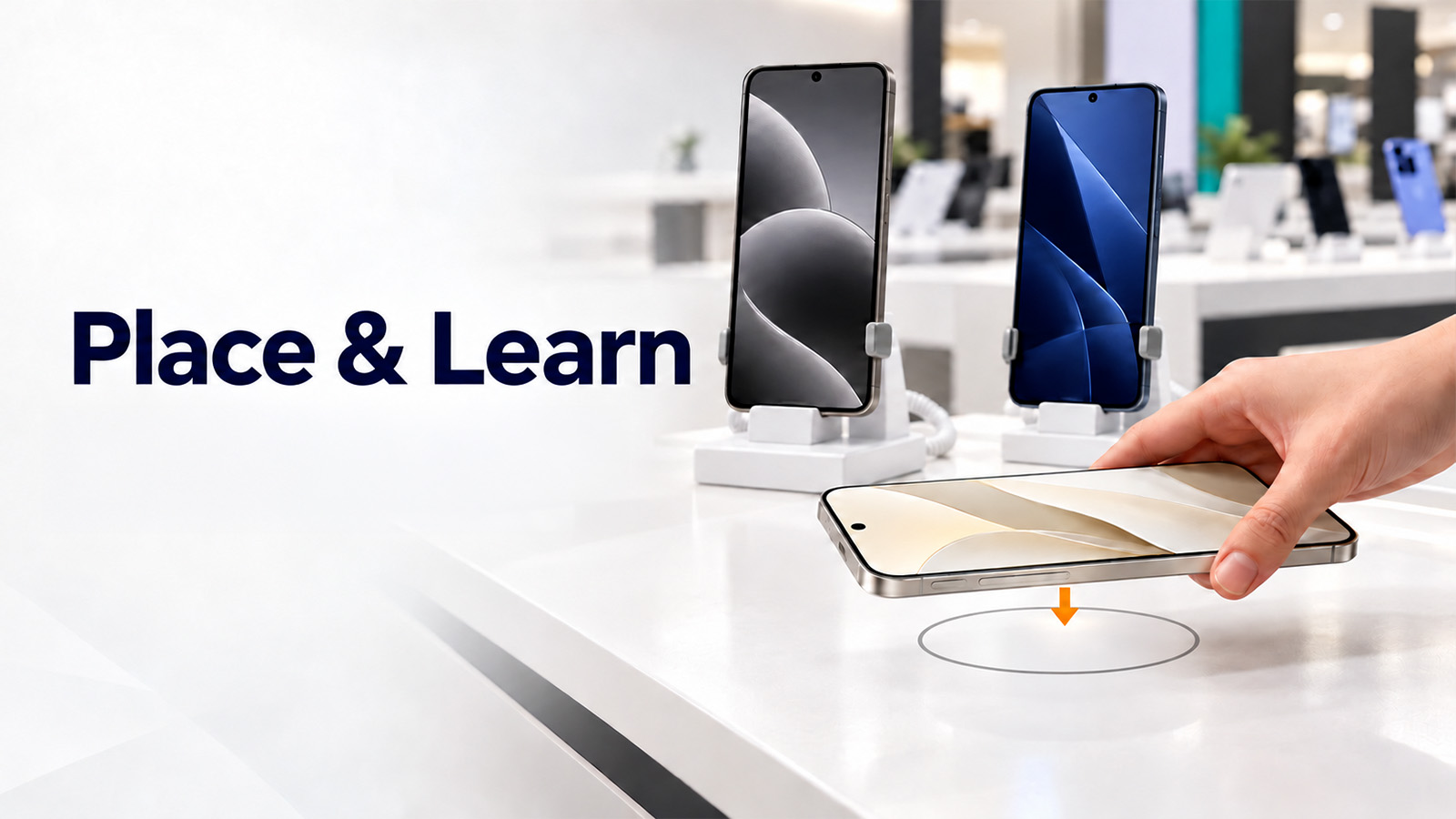
Drag a product onto the zone — or just tap it
How it works
How the smart shelf works: a product, a zone, a screen
The product is recognised in well under a second, and it also works offline.
Each product gets an NFC tag
Every product in your range is registered once, with a small NFC tag inside the box, under the base or in the existing price label. The tag needs no battery and lasts the life of the product.
A sensor sits under the zone
The NFC reader is hidden beneath the counter top or fixture panel. All the shopper sees is a marked area showing where to place the product.
The product is recognised on contact
The moment a product is placed, the reader identifies its tag, and the controller knows exactly which SKU is on the zone, not just that something is there.
Content plays, every placement is logged
That product’s film runs on the screen and clears when the product is lifted away. Every placement is timestamped on your dashboard with its dwell time.
Why brands install it
Why brands choose NFC in retail displays
It knows which product it is, not just that one is there.
One zone, your whole range
A weight pad only knows that something moved. NFC identifies the exact product, so a single marked area can serve your entire range without a sensor for every position.
The gesture is already natural
Shoppers pick a product up and set it down to look at it. The zone simply rewards a movement they were making anyway; there is nothing to teach.
Nothing changes on the shelf
Restock, rotate the range or change the planogram, and the display still works. Recognition travels with the product, not with the position.
Dwell time, not just interest
You learn which product was put down, how long it stayed on the zone, and what was placed next. That is the consideration set, measured.
Easy to roll out
Each product is set up once during installation. After that, new SKUs can be added and mapped to their content from the dashboard.
Hidden in the counter
The reader sits under wood, stone or acrylic, so the fixture stays clean. There’s no visible hardware, no camera and nothing for a shopper to notice.
Where it works
Where an interactive display stand works best
Counters where the product is picked up and put down.
Jewellery counters
A piece set on the zone brings up its certificate, making charges, stone detail and the matching set, while the customer still has it in hand.
Footwear & apparel
Put a shoe on the zone and the screen shows every colourway and size, including the ones not on the wall. Shoppers see the full range without asking staff to check the stockroom.
Fragrance & beauty
Ingredient story, notes and the campaign film, played from the tester the shopper just set down on the counter.
Electronics & accessories
Phones, wearables and audio. The counter becomes a product comparison display: compatibility, specs and how this model compares with the one beside it, without opening a single box.
Wine, spirits & gourmet
Set the bottle down and get the region, the tasting notes and the pairing. It sits naturally with the digital buffet displays we already run.
Experience centres & expos
Material samples, component cutaways and demo units. On an interactive display stand, every sample on the table carries its own spec sheet without a printed folder.
What you get
One vendor from the tagging plan to the fifth year of service
Most in-store tech dies quietly because the hardware, the tagging, the content and the support come from four different companies. All of these are ours.
Tagging & site survey
We survey the counter for metal and interference, choose the NFC tag and antenna for your products, and set out where the zone goes and how the range gets labelled.
Hardware & fixture
NFC readers, antennas, controllers, commercial displays and media players, plus the counter or display stand itself when the zone needs to be built in rather than retrofitted.
Software, CMS & content
Map every tag ID to its playlist and update all screens remotely through our CMS. Our in-house team produces the films; a 30-second film for someone holding the product is a different craft from an ad film.
Installation & support
Site survey, installation and ongoing service through our own engineers, not a subcontractor you have never met.
Our support promise
What happens after go-live
Before you ask us
What is a smart shelf?
A smart shelf is a shelf or counter that recognises the products on it and reacts. With Place & Learn, setting a product on a marked zone makes the nearby screen play content about that exact item, then reset when it is lifted away.
How is NFC used in retail displays?
Each product carries a small, battery-free NFC tag. A reader hidden under the counter detects the tag when the product is placed on the zone and tells the screen which SKU it is, so the right film plays every time.
Can it work as a product comparison display?
Yes. The film for each product can show its specs next to the model beside it in the range, so shoppers compare without asking staff or opening boxes.
Do we have to replace our existing counter?
Usually not. The reader fits under most wood, stone and acrylic counter tops. If your fixture can’t take it, we design and build a replacement counter or display stand; we build over 2,000 custom display units a year.
Does it need internet in every store?
No. Recognition runs locally, so the display keeps working through an outage. You need connectivity only for remote content updates and for sending placement data to the dashboard, and that syncs whenever the link is available.
How many products can one zone handle?
One zone can recognize your whole range, because each product carries its own tag. We size the number of zones and screens during the site survey.
Can our own team update the content?
Yes. The CMS is built for marketing teams, not engineers: upload, schedule, assign to stores. If you’d rather not run it in-house, our content team manages it for you as a service.
How is Place & Learn different from Lift & Learn and Press & Learn?
All three are part of our Engage & Learn family. Lift & Learn plays content when a product is picked up, Press & Learn when a button is pressed, and Place & Learn when a product is set down on the zone.
What does a pilot cost?
It depends on the number of zones, screen size, the size of your range and whether we build the fixture. Send us your store count and a photo of the counter, and we’ll come back with a scoped number rather than a range.